The full-stack framework built for coding agents

Define data, policies, server functions, and live clients in TypeScript. Run it anywhere, or deploy it on Stack0 Cloud.

Add --template saas to start from one of 18 working apps.

Typed schema

entities, migrations, types

What ships with it

Everything an app needs, in one server.

You write one schema. The same server stores the data, checks permissions, pushes updates, runs your code, and renders the pages. You do not add a second service for any of it.

Typed schema

You define the data in TypeScript.

Write each entity and field one time. Pylon makes the tables, runs the migrations, and writes the client types.

  • TypeScript entities
  • Migrations on save
  • Generated client types
Explore typed schema
schema.ts
const Order = entity("Order", {
customer: field.string(),
total: field.float(),
paid: field.boolean().default(false),
});
migration applied · 3 columns
Live queries

Queries update themselves.

Subscribe one time. After each write that affects the result, the server sends only the rows that changed. You do not poll or clear a cache.

  • Typed subscriptions
  • Row-level updates
  • Catch-up after reconnect
Explore live queries
live orders
db.useQuery("Order")live
ord_9f2aSarah Chen$1,240
ord_7c41Marcus Lee$880
ord_5b88Priya Nair$2,100
ord_3d10Elena Duarte$640
diff streamed to 47 clients
Row-level policies

Access rules sit next to the data.

Every read and every write goes through the same rules. An operation with no rule is denied.

  • Per-row checks
  • Caller identity
  • Denied by default
Explore row-level policies
policy evaluation
readauth.userId != nullallow
insertauth.userId == data.ownerIdallow
delete- no ruledeny
unmatched operations fall through to deny
Auth

Sign-in is already built in.

Use email links, OAuth, OIDC, or API keys. Your functions and your access rules read the same session.

  • Email links
  • 25+ OAuth providers
  • OIDC and API keys
Explore auth
session providers
Magic linkGoogleGitHubAppleOIDC
session · auth.userId set
File uploads

Uploads go straight to storage.

The app signs the upload. Files go to local disk in development and to any S3-compatible bucket in production.

  • Signed uploads
  • Local disk in development
  • S3-compatible buckets
Explore file uploads
upload queue
invoice.pdf248 KB
avatar.png64 KB
export.csv58%
presigned · S3-compatible
Rooms & presence

Short-lived state stays out of your tables.

Send cursors, typing signals, and who is online over a separate channel. None of it is written to your tables.

  • Rooms
  • Presence
  • Broadcast events
Explore rooms & presence
room:orders
Sarah
Marcus
Priya
room · 3 online
SQLite or Postgres

One SQLite file, or Postgres.

Start on a single SQLite file. To move to Postgres, point DATABASE_URL at it. Your schema, rules, and client code do not change.

  • SQLite by default
  • Postgres when you need it
  • One data API
Explore sqlite or postgres
database target
DATABASE_URL
SQLite
file:./pylon.db
Postgres
postgres://…/app
schema12 tables
policies8 rules
app codeunchanged
File-based SSR

React renders on the same server.

Pages are files. The server reads your data, streams the HTML, then hands the page to the client, which subscribes for updates.

  • File routes
  • Streamed HTML
  • Hydrate and subscribe
Explore file-based ssr
GET /orders
GET/orders200 · 14ms
server renderquery + policy run server-side
html streamedfirst paint, no client fetch
hydratesame typed client takes over
subscribedlive diffs from here on
one schema · server and client
Server functions

A TypeScript file is the endpoint.

Write a query, a mutation, or an action. Pylon checks the inputs and gives the client a typed function to call it.

  • Queries
  • Mutations
  • Actions
Explore server functions
functions
getOrdersquery4ms
createOrdermutation11ms
sendReceiptaction62ms
v.* validated · typed end to end
Reactive server queries

Derived data reruns only when its inputs change.

The server records which rows a join or a total read. It runs the query again only when one of those rows changes.

  • Tracked reads
  • Server-side joins
  • Reruns only what changed
Explore reactive server queries
dependency graph
reads Order · Region
us-east$48,120
eu-west$31,904
ap-south$12,470
Order inserted → re-ran
Background jobs

Slow work runs after the response.

Queue email, file processing, and totals to run after you reply to the user. Schedule work once or on a repeat.

  • Background jobs
  • runAfter and runAt
  • Scheduled work
Explore background jobs
job queue
sendReceiptrunAfter 30sdone
retryPaymentrunAt 09:00done
sweepCartsevery 5mrunning
retries run in-process
Workflows

Long jobs continue after a restart.

Each step is saved as it finishes. A job can wait days for an event, then continue after a deploy or a crash. Finished steps do not run twice.

  • Saved steps
  • Waits for time or events
  • Safe retries
Explore workflows
durable workflow
welcomerecorded
wait 3dresumable
checkActiverecorded
nudgestep
checkpoint saved after every step
Studio

You can see what the server is doing.

Open Studio to read the tables, watch live queries, follow the logs, and run a mutation against the environment you are debugging.

  • Table browser
  • Live query inspector
  • Logs and mutations
Explore studio
/studio
TablesLive queriesLogs
Order1,284
Customer412
Invoice980
/studio · admin-gated in prod
Templates

Start from a working app.

Choose a complete app. Run one command, read the source, and change what you need.

All templates
SaaS starter template home page

SaaS starter

A complete SaaS product with a marketing site, onboarding, a multi-tenant dashboard, and Stripe billing. Reach for this one to build a product.

Application model

Your app model stays in TypeScript.

Declare an entity and its access policy. Pylon creates the table, REST and realtime API, row-level checks, and typed React client. That keeps resolvers, an ORM layer, and a separate backend service out of your stack.

app.ts
// one entity → a synced table + typed client
const Order = entity("Order", {
customer: field.string(),
total: field.float(),
paid: field.boolean().default(false),
});
// access rules next to the schema. Deny by default.
policy({ entity: "Order",
allowRead: "auth.userId != null",
allowInsert: "auth.userId == data.ownerId",
});
// the React side: live, typed, no fetch
const { data } = db.useQuery("Order");
Release path

Deploy from GitHub or the CLI.

A repository push and a CLI release use the same build, preview, and production path.

01

Connect the repo

Install the GitHub App once, or use the CLI from CI.

02

Open a preview

Each pull request gets an isolated preview environment.

03

Build the release

Pylon validates the app and applies the schema before cutover.

04

Send traffic

The release moves to production with the same runtime.

One release path

Push from GitHub or run the command.

Preview environments disappear after merge. Production keeps the release history and logs.

my-app / releaseready
$ git push origin main
or
$ pylon deploy --target cloud
✓ Build complete in 12s
✓ Schema applied
✓ Traffic moved with 0 errors
→ https://your-app.smallware.run
Managed cloud

Scale from one dashboard.

Every app sits behind a global edge network. Resize machines, add replicas and regions, or expand storage from the same dashboard, without pre-provisioning or per-seat pricing.

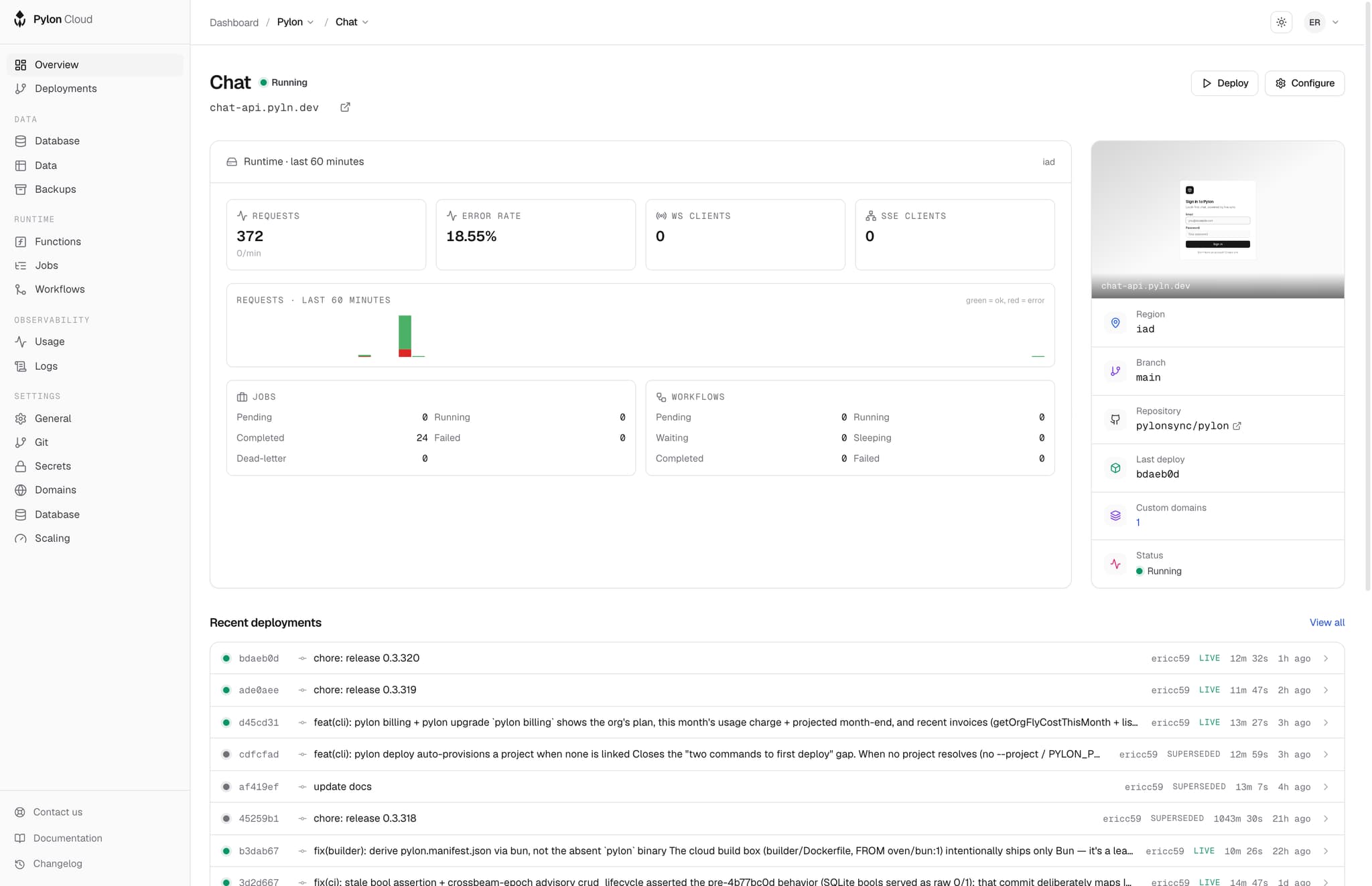
cloud.stack0.dev/dashboard
Stack0 Cloud dashboard with deployments, machine status, and live metrics

Global edge network

Cloudflare's edge provides CDN caching, TLS, and DDoS protection worldwide with no extra configuration.

Resize on demand

Add RAM up to 64 GB, choose performance CPUs, and expand the volume without redeploying.

Replicas

Run up to 32 load-balanced replicas per region.

Global regions

Deploy in US, EU, APAC, and South America regions.

Up to 500 GB volume

Grow storage live when the app needs room.

Managed Postgres (private beta)

Bundled SQLite by default; co-located managed Postgres is in private beta.

Autostop on idle

Scale to zero when idle, or keep a project always warm.

Custom domains + TLS

Bring your domain; Pylon handles TLS.

SSO: OIDC + SAML

Configure org-level SSO from the dashboard.

Audit log + snapshots

Activity log, one-click volume restore.

FAQ

Common questions.

Everything else is in the docs.

Which database does it use?

SQLite is the default. It uses one file and needs no setup. Set DATABASE_URL to a Postgres connection string to use the same schema and application code with Postgres. On Cloud, bundled SQLite is the default. Co-located managed Postgres is in private beta.

Do I have to use Stack0 Cloud?

No. The runtime is one open-source binary. Run it on your own computer or container platform with a volume for SQLite, or use your own Postgres database. Cloud is the managed option, not a requirement. It runs the same binary.

How do migrations work?

Your schema is TypeScript. In development Pylon diffs it and applies the change on save, so the tables follow the file. On deploy the schema is applied as part of the release, before traffic cuts over.

How do I deploy?

Two ways into the same runtime. Install the GitHub App and pushes to your default branch deploy, with pull requests getting preview environments. Or run pylon deploy from your machine or CI when you want a manual release.

Which clients can talk to it?

A typed React client with server-side rendering, and a Swift SDK for mobile. Every entity also gets a REST and realtime API, so anything that can speak HTTP or WebSocket can read and write subject to the same policies.

What does auth cover?

Magic-link email, 25+ OAuth providers, generic OIDC discovery, guest sessions, and API keys. Whatever the caller signed in with, policies read the same auth.userId, so access rules do not change per provider.

Can it run background work?

Yes. ctx.scheduler.runAfter, runAt, and cancel schedule follow-up work. Delays and retries run in the same process as the rest of your app. You do not deploy a separate queue or worker.

What happens to my data if I leave?

It is a SQLite file or an ordinary Postgres database, with no proprietary storage layer in between. Take a dump and it opens in any client. What you would rewrite on the way out is the SDK calls, not the data.

Create a Pylon app.

Self-host the framework, or use Stack0 Cloud to run it. Connect GitHub or deploy from the CLI.